
















One platform, flexible options

Every school uses AI a little differently. Our plans meet you where you are and grow with you over time.

FREE
PLUS
ENTERPRISE
Compare plans
Find the plan that fits your school or district best.
$0
Forever Free
For individual teachers exploring AI
$8.33
USD/user/mo (billed annually)
$12.99 USD billed monthly
For educators ready to go further
Custom
For districts that need customization and oversight at scale
Explore essential teacher and student tools safely, at no cost.
Use every MagicSchool tool, revisit past work, and preview what’s coming next.
Support educators with flexible tools, built-in safety, and clear district oversight.
Key features include:
Check mark inside a blue box
80+ teacher tools
Check mark inside a blue box
50+ student tools
Check mark inside a blue box
Raina chatbot
Check mark inside a blue box
Student learning insights
Check mark inside a blue box
Basic support and professional development
Check mark inside a blue box
Best in class privacy and security
Every FREE feature, plus:
Check mark inside a yellow box
Unlimited generations
Check mark inside a yellow box
Unlimited output history
Check mark inside a yellow box
Unlimited AI-output editing
Check mark inside a yellow box
Unlimited Quizzes
Check mark inside a yellow box
Unlimited Class Writing Feedback
Check mark inside a yellow box
Advanced tool features
Check mark inside a yellow box
MagicSchool Labs
Every PLUS feature, with:
Check mark inside a purple box
Custom Data Privacy Agreement
Check mark inside a purple box
Integrations with SIS, LMS
Check mark inside a purple box
Single Sign-On (SSO)
Check mark inside a purple box
Curriculum alignment
Check mark inside a purple box
Customization of tools and platform
Check mark inside a purple box
Tool management controls and guardrails
Check mark inside a purple box
Advanced safeguards and moderations
Check mark inside a purple box
Advanced data dashboards
Check mark inside a purple box
Dedicated customer service manager and professional development

AI Tools For Teachers and Students

80+ AI Teacher Tools
Tools for lesson planning, worksheet generation, quiz generation, IEP creation, presentation creation, and more.
Check mark inside a blue box
Check mark inside a yellow box
Check mark inside a purple box
50+ AI Tools for Students
Tools for writing feedback, tutoring, and more.
Check mark inside a blue box
Check mark inside a yellow box
Check mark inside a purple box
Unlimited Generations
Generate unlimited lesson plans, ideas, and resources.
X inside a circle, representing close functionality.
Check mark inside a yellow box
Check mark inside a purple box
Unlimited Output History
Access and review your entire history of tool outputs.
X inside a circle, representing close functionality.
Check mark inside a yellow box
Check mark inside a purple box
Unlimited Output Editing
With Studio Mode, you can edit your AI outputs: format text, add structure, and drop in images. Export when ready.
X inside a circle, representing close functionality.
Check mark inside a yellow box
Check mark inside a purple box
Unlimited Student Rooms
Bring AI into the classroom with Student Rooms, where you choose and configure AI tools, set learning goals, and share them with students!
Check mark inside a blue box
Check mark inside a yellow box
Check mark inside a purple box
Unlimited Quizzes
Generate low-stakes, formative assessments like exit tickets, and assign to students. Comes with real-time summaries.
X inside a circle, representing close functionality.
Check mark inside a yellow box
Check mark inside a purple box
Unlimited Class Writing Feedback
Review, personalize, and send AI-generated feedback on written assignments in batches, based in your rubric.
X inside a circle, representing close functionality.
Check mark inside a yellow box
Check mark inside a purple box
Chrome Extension
Bring MagicSchool into your browser and get access to 80+ tools with one click.
Check mark inside a blue box
Check mark inside a yellow box
Check mark inside a purple box
MagicSchool Labs
Get early access to new features before they launch.
X inside a circle, representing close functionality.
Check mark inside a yellow box
Check mark inside a purple box

Admin

Full Access For All Staff, Institution-Wide
X inside a circle, representing close functionality.
Check mark inside a purple box
Single Sign-On (SSO)
One-click secure login across all major providers.
X inside a circle, representing close functionality.
Check mark inside a purple box
Full SIS/LMS Integration (Clever, ClassLink, Canvas, Schoology)
Launch MagicSchool from your LMS without extra tabs or codes.
X inside a circle, representing close functionality.
Check mark inside a purple box
Google & Microsoft exports
Export your AI outputs in a click to Google Docs, Slides, etc.
Check mark inside a blue box
Check mark inside a yellow box
Check mark inside a purple box

Customization and Control

District Alignment
Upload district-specific documents, like handbooks and curriculum, in one place and apply knowledge across all tools.
X inside a circle, representing close functionality.
Check mark inside a purple box
Custom Tools
Create and distribute custom AI tools that align with your school’s standards and documents.
X inside a circle, representing close functionality.
Check mark inside a purple box
Tool Management Controls
Show or hide tools on educator dashboards.
X inside a circle, representing close functionality.
Check mark inside a purple box
Enhanced Moderation In Student AI Tools
Filter and manage content that students input/receive through AI tools.
X inside a circle, representing close functionality.
Check mark inside a purple box

Analytics and Dashboards

Advanced Data Dashboards
Track adoption and usage trends across your district. Get data you need for board level reporting.
X inside a circle, representing close functionality.
Check mark inside a purple box
Student Room Insights
Monitor student engagement and participation in real-time.
Check mark inside a blue box
Check mark inside a yellow box
Check mark inside a purple box
Staff Learning Engagement Analytics
View learner-level insights including certifications, course enrollments, progress, time spent, and recent activity.
X inside a circle, representing close functionality.
Check mark inside a purple box

Support and Partnership

Self-Serve Help Center & Live Chat Support
Connect with the MagicSchool team and browse support articles.
Check mark inside a blue box
Check mark inside a yellow box
Check mark inside a purple box
Professional Development
Access self-paced learning, videos, certification courses, and live or on-demand webinars.
Self-paced, virtual resources
Custom PD packages, including additional in-person sessions and tailored content
Dedicated Customer Service Manager
Dedicated support to ensure smooth onboarding, implementation, and ongoing success for your organization.
X inside a circle, representing close functionality.
Check mark inside a purple box
White-Glove Onboarding
Get dedicated guidance to help your team launch with confidence.
X inside a circle, representing close functionality.
Check mark inside a purple box
Professional Services
Tailored expertise for your district. We offer custom PD, curriculum integration, and strategic consulting to help you get the most from MagicSchool.
X inside a circle, representing close functionality.
Check mark inside a purple box
FREE
$0
Forever Free
For individual teachers exploring AI
Explore essential teacher 
and student tools safely, 
at no cost.
Key features include:
Check mark inside a blue box
80+ teacher tools
Check mark inside a blue box
50+ student tools
Check mark inside a blue box
Raina chatbot
Check mark inside a blue box
Student learning insights
Check mark inside a blue box
Basic support and professional development
Check mark inside a blue box
Best in class privacy and security
PLUS
$8.33
USD/user/mo (billed annually)
$12.99 USD billed monthly
For educators ready to go further
Use every MagicSchool tool, revisit past work, and preview what’s coming next.
Every FREE feature, plus:
Check mark inside a yellow box
Unlimited generations
Check mark inside a yellow box
Unlimited output history
Check mark inside a yellow box
Unlimited AI-output editing
Check mark inside a yellow box
Unlimited Quizzes
Check mark inside a yellow box
Unlimited Class Writing Feedback
Check mark inside a yellow box
Advanced tool features
Check mark inside a yellow box
MagicSchool Labs
ENTERPRISE
Custom
For districts that need customization and oversight at scale
Support educators with flexible tools, built in safety, and clear district oversight.
Every PLUS feature, with:
Check mark inside a purple box
Custom Data Privacy Agreement
Check mark inside a purple box
Integrations with SIS, LMS
Check mark inside a purple box
Single Sign-On (SSO)
Check mark inside a purple box
Curriculum alignment
Check mark inside a purple box
Customization of tools and platform
Check mark inside a purple box
Tool management controls and guardrails
Check mark inside a purple box
Advanced safeguards and moderations
Check mark inside a purple box
Advanced data dashboards
Check mark inside a purple box
Dedicated customer service manager and professional development

AI Tools For Teachers and Students

80+ AI teacher tools
Tools for lesson planning, worksheet generation, quiz generation, IEP creation, presentation creation, and more.
Check mark inside a blue box
50+ AI tools for students
Tools for writing feedback, tutoring, and more.
Check mark inside a blue box
Unlimited Generations
Generate unlimited lesson plans, ideas, and resources.
X inside a circle, representing close functionality.
Unlimited Output History
Access and review your entire history of tool outputs.
X inside a circle, representing close functionality.
Unlimited Output Editing
With Studio Mode, you can edit your AI outputs: format text, add structure, and drop in images. Export when ready.
X inside a circle, representing close functionality.
Unlimited Student Rooms
Bring AI into the classroom with Student Rooms, where you choose and configure AI tools, set learning goals, and share them with students!
Check mark inside a blue box
Unlimited Quizzes
Generate low-stakes, formative assessments like exit tickets, and assign to students. Comes with real-time summaries.
X inside a circle, representing close functionality.
Unlimited Class Writing Feedback
Review, personalize, and send AI-generated feedback on written assignments in batches, based in your rubric.
X inside a circle, representing close functionality.
Chrome Extension
Bring MagicSchool into your browser and get access to 80+ tools with one click.
Check mark inside a blue box
MagicSchool Labs
Get early access to new features before they launch.
X inside a circle, representing close functionality.

Security and Compliance

Admin

Full Access For All Staff, Institution-Wide
X inside a circle, representing close functionality.
Single Sign-On (SSO)
One-click secure login across all major providers.
X inside a circle, representing close functionality.
Full SIS/LMS Integration (Clever, ClassLink, Canvas, Schoology)
Launch MagicSchool from your LMS without extra tabs or codes.
X inside a circle, representing close functionality.
Google & Microsoft exports
Export your AI outputs in a click to Google Docs, Slides, etc.
Check mark inside a blue box

Customization and Control

District Alignment
Upload district-specific documents, like handbooks and curriculum, in one place and apply knowledge across all tools.
X inside a circle, representing close functionality.
Custom Tools
Create and distribute custom AI tools that align with your school’s standards and documents.
X inside a circle, representing close functionality.
Tool Management Controls
Show or hide tools on educator dashboards.
X inside a circle, representing close functionality.
Enhanced Moderation In Student AI Tools
Filter and manage content that students input/receive through AI tools.
X inside a circle, representing close functionality.

Analytics and Dashboards

Advanced Data Dashboards
Track adoption and usage trends across your district. Get data you need for board level reporting.
X inside a circle, representing close functionality.
Student Room Insights
Monitor student engagement and participation in real-time.
Check mark inside a blue box
Staff Learning Engagement Analytics
View learner-level insights including certifications, course enrollments, progress, time spent, and recent activity.
X inside a circle, representing close functionality.

Support and Partnership

Self-Serve Help Center & Live Chat Support
Connect with the MagicSchool team and browse support articles.
Check mark inside a blue box
Professional Development
Access self-paced learning, videos, certification courses, and live or on-demand webinars.
Custom PD packages
Dedicated Customer Service Manager
Dedicated support to ensure smooth onboarding, implementation, and ongoing success for your organization.
X inside a circle, representing close functionality.
White-Glove Onboarding
Get dedicated guidance to help your team launch with confidence.
X inside a circle, representing close functionality.
Professional Services
Tailored expertise for your district. We offer custom PD, curriculum integration, and strategic consulting to help you get the most from MagicSchool.
X inside a circle, representing close functionality.

AI Tools For Teachers and Students

80+ AI teacher tools
Tools for lesson planning, worksheet generation, quiz generation, IEP creation, presentation creation, and more.
Check mark inside a yellow box
50+ AI tools for students
Tools for writing feedback, tutoring, and more.
Check mark inside a yellow box
Unlimited Generations
Generate unlimited lesson plans, ideas, and resources.
Check mark inside a yellow box
Unlimited Output History
Access and review your entire history of tool outputs.
Check mark inside a yellow box
Unlimited Output Editing
With Studio Mode, you can edit your AI outputs: format text, add structure, and drop in images. Export when ready.
Check mark inside a yellow box
Unlimited Student Rooms
Bring AI into the classroom with Student Rooms, where you choose and configure AI tools, set learning goals, and share them with students!
Check mark inside a yellow box
Unlimited Quizzes
Generate low-stakes, formative assessments like exit tickets, and assign to students. Comes with real-time summaries.
Check mark inside a yellow box
Unlimited Class Writing Feedback
Review, personalize, and send AI-generated feedback on written assignments in batches, based in your rubric.
Check mark inside a yellow box
Chrome Extension
Bring MagicSchool into your browser and get access to 80+ tools with one click.
Check mark inside a yellow box
MagicSchool Labs
Get early access to new features before they launch.
Check mark inside a yellow box

Security and Compliance

Admin

Full Access For All Staff, Institution-Wide
X inside a circle, representing close functionality.
Single Sign-On (SSO)
One-click secure login across all major providers.
X inside a circle, representing close functionality.
Full SIS/LMS Integration (Clever, ClassLink, Canvas, Schoology)
Launch MagicSchool from your LMS without extra tabs or codes.
X inside a circle, representing close functionality.
Google & Microsoft exports
Export your AI outputs in a click to Google Docs, Slides, etc.
Check mark inside a yellow box

Customization and Control

District Alignment
Upload district-specific documents, like handbooks and curriculum, in one place and apply knowledge across all tools.
X inside a circle, representing close functionality.
Custom Tools
Create and distribute custom AI tools that align with your school’s standards and documents.
X inside a circle, representing close functionality.
Tool Management Controls
Show or hide tools on educator dashboards.
X inside a circle, representing close functionality.
Enhanced Moderation In Student AI Tools
Filter and manage content that students input/receive through AI tools.
X inside a circle, representing close functionality.

Analytics and Dashboards

Advanced Data Dashboards
Track adoption and usage trends across your district. Get data you need for board level reporting.
X inside a circle, representing close functionality.
Student Room Insights
Monitor student engagement and participation in real-time.
Check mark inside a yellow box
Staff Learning Engagement Analytics
View learner-level insights including certifications, course enrollments, progress, time spent, and recent activity.
X inside a circle, representing close functionality.

Support and Partnership

Self-Serve Help Center & Live Chat Support
Connect with the MagicSchool team and browse support articles.
Check mark inside a yellow box
Professional Development
Access self-paced learning, videos, certification courses, and live or on-demand webinars.
Custom PD packages
Dedicated Customer Service Manager
Dedicated support to ensure smooth onboarding, implementation, and ongoing success for your organization.
X inside a circle, representing close functionality.
White-Glove Onboarding
Get dedicated guidance to help your team launch with confidence.
X inside a circle, representing close functionality.
Professional Services
Tailored expertise for your district. We offer custom PD, curriculum integration, and strategic consulting to help you get the most from MagicSchool.
X inside a circle, representing close functionality.

AI Tools For Teachers and Students

80+ AI teacher tools
Tools for lesson planning, worksheet generation, quiz generation, IEP creation, presentation creation, and more.
Check mark inside a purple box
50+ AI tools for students
Tools for writing feedback, tutoring, and more.
Check mark inside a purple box
Unlimited Generations
Generate unlimited lesson plans, ideas, and resources.
Check mark inside a purple box
Unlimited Output History
Access and review your entire history of tool outputs.
Check mark inside a purple box
Unlimited Output Editing
With Studio Mode, you can edit your AI outputs: format text, add structure, and drop in images. Export when ready.
Check mark inside a purple box
Unlimited Student Rooms
Bring AI into the classroom with Student Rooms, where you choose and configure AI tools, set learning goals, and share them with students!
Check mark inside a purple box
Unlimited Quizzes
Generate low-stakes, formative assessments like exit tickets, and assign to students. Comes with real-time summaries.
Check mark inside a purple box
Unlimited Class Writing Feedback
Review, personalize, and send AI-generated feedback on written assignments in batches, based in your rubric.
Check mark inside a purple box
Chrome Extension
Bring MagicSchool into your browser and get access to 80+ tools with one click.
Check mark inside a purple box
MagicSchool Labs
Get early access to new features before they launch.
Check mark inside a purple box

Security and Compliance

Admin

Full Access For All Staff, Institution-Wide
Check mark inside a purple box
Single Sign-On (SSO)
One-click secure login across all major providers.
Check mark inside a purple box
Full SIS/LMS Integration (Clever, ClassLink, Canvas, Schoology)
Launch MagicSchool from your LMS without extra tabs or codes.
Check mark inside a purple box
Google & Microsoft exports
Export your AI outputs in a click to Google Docs, Slides, etc.
Check mark inside a purple box

Customization and Control

District Alignment
Upload district-specific documents, like handbooks and curriculum, in one place and apply knowledge across all tools.
Check mark inside a purple box
Custom Tools
Create and distribute custom AI tools that align with your school’s standards and documents.
Check mark inside a purple box
Tool Management Controls
Show or hide tools on educator dashboards.
Check mark inside a purple box
Enhanced Moderation In Student AI Tools
Filter and manage content that students input/receive through AI tools.
Check mark inside a purple box

Analytics and Dashboards

Advanced Data Dashboards
Track adoption and usage trends across your district. Get data you need for board level reporting.
Check mark inside a purple box
Student Room Insights
Monitor student engagement and participation in real-time.
Check mark inside a purple box
Staff Learning Engagement Analytics
View learner-level insights including certifications, course enrollments, progress, time spent, and recent activity.
Check mark inside a purple box

Support and Partnership

Self-Serve Help Center & Live Chat Support
Connect with the MagicSchool team and browse support articles.
Check mark inside a purple box
Professional Development
Access self-paced learning, videos, certification courses, and live or on-demand webinars.
Custom PD packages
Dedicated Customer Service Manager
Dedicated support to ensure smooth onboarding, implementation, and ongoing success for your organization.
Check mark inside a purple box
White-Glove Onboarding
Get dedicated guidance to help your team launch with confidence.
Check mark inside a purple box
Professional Services
Tailored expertise for your district. We offer custom PD, curriculum integration, and strategic consulting to help you get the most from MagicSchool.

Check mark inside a purple box

Approved and trusted AI for schools

MagicSchool is available for purchase through trusted partners.

UEN (Utah)

UEN Logo

ESC (Indiana)

ESCI Logo

Shop DOE (NYC)

NYC Public Schools logo

MISBO

MISBO Logo

ESUCC (Nebraska)

Nebraska ESU Coordinating Council Logo

BuyBoard (Texas)

Buy Board Logo

Hear from districts using MagicSchool

Proudly the #1 AI platform partnering with teachers and districts worldwide.

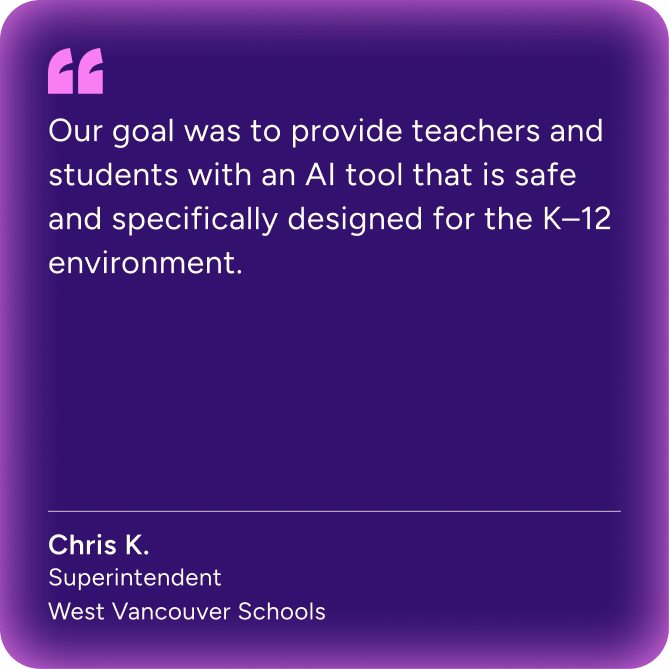
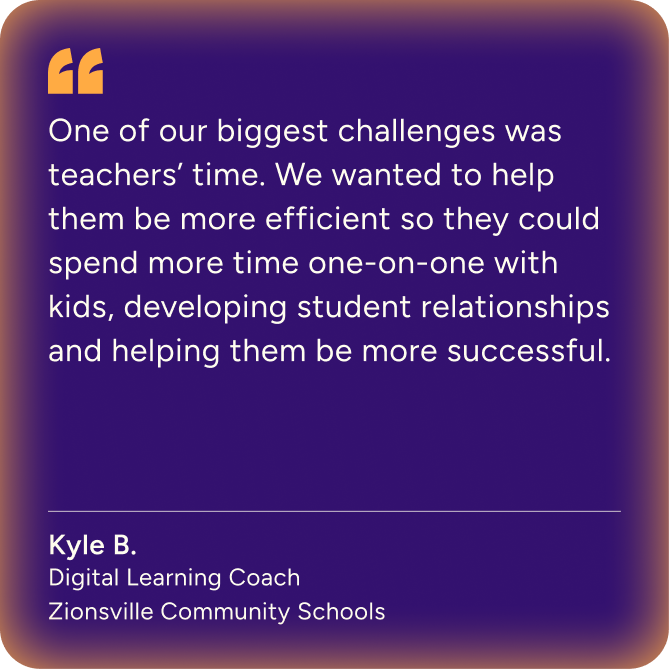
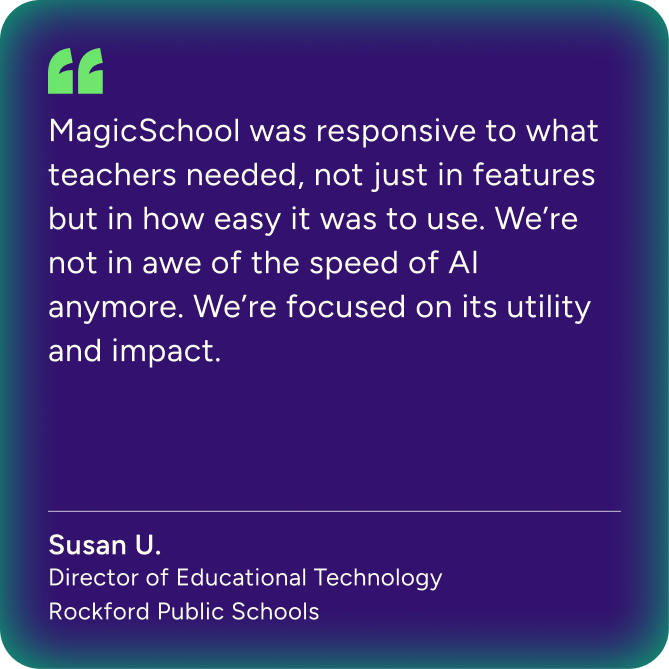
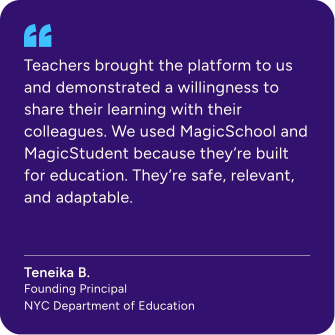
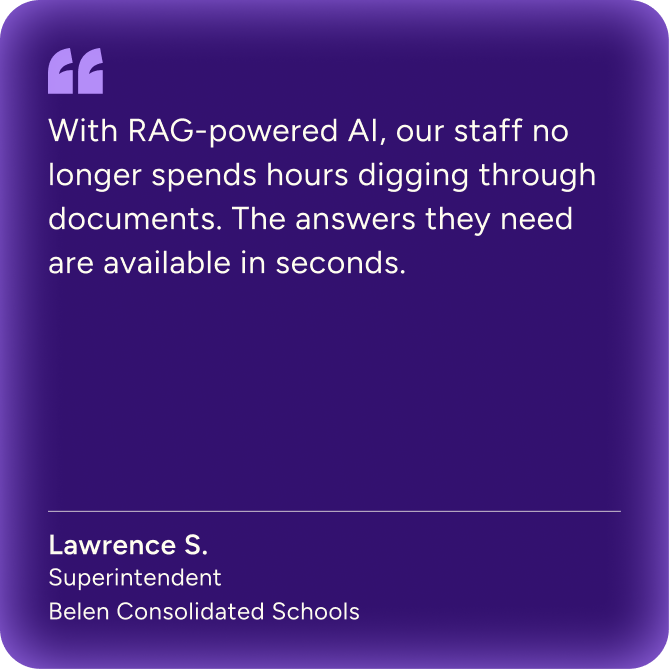
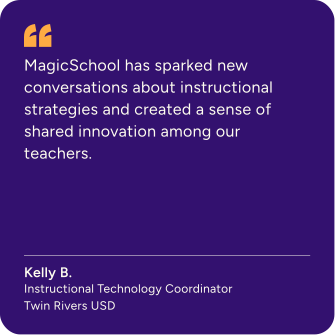
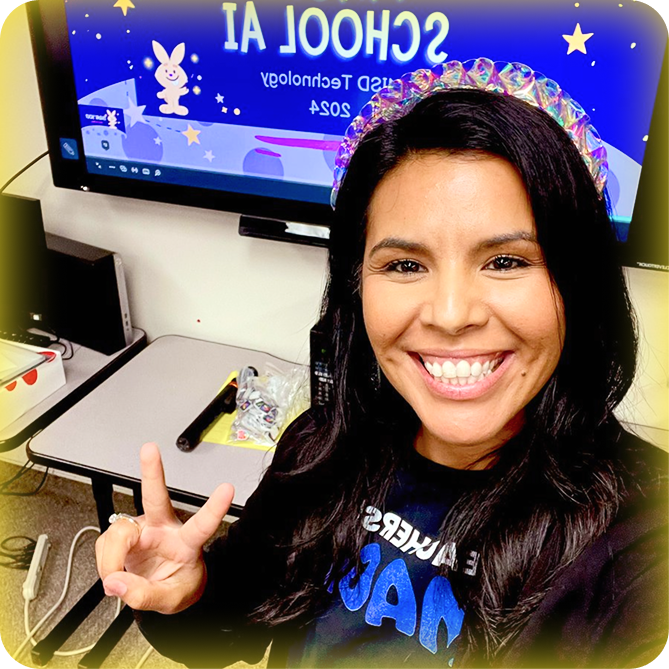
"Our goal was to provide teachers and students with an AI tool that is safe and specifically designed for the K-12 environment." Chris K. Superintendent, West Vancouver Schools"One of our biggest challenges was teachers' time. We wanted to help them be more efficient so they could spend more time one-on-one with kids, developing student relationships and helping them be more successful.Image of a female teacher with blonde hair smiling and wearing a black Teachers Are Magic t-shirt."MagicSchool was responsive to what teachers needed, not just in features but in how easy it was to use. We're not in awe of the speed of AI anymore. We're focused on its utility and impact." Susan U. Director of Educational Technology - Rockford Public SchoolsQuote from Teneika B., Founding Principal at NYC Department of Education: "Teachers brought the platform to us and demonstrated a willingness to share their learning with their colleagues. We used MagicSchool and MagicStudent because they're built for education. They're safe, relevant, and adaptable. Image of a smiling male teacher sitting at a desk in front a desktop computer with the MagicSchool platform displayed on screen."With RAG-powered AI, our staff no longer spends hours digging through documents. The answers they need are available in seconds." Lawrence S. - Superintendent, Belen Consolidated SchoolsQuote from Kelly B, Instructional Technology Coordinator, Twin Rivers USD: " MagicSchool has sparked new conversations about instructional strategies and created a sense of shared innovation among our teachers."Image of a smiling female teacher with brown hair giving the peace sign and wearing a Black Teachers are Magic T-shirt and standing in front of a computer monitor with a MagicSchool presentation on the screen.
See the Wall of Love

Your questions, answered

Helpful answers about plans, pricing, and how MagicSchool works.

How does pricing compare to other AI platforms?

Many AI tools aren’t built with the needs of teachers and students in mind and are priced beyond their reach, with Microsoft Copilot being priced at $25 a month and ChatGPT Plus priced at $20 per month. In addition, both are not customized for education and do not provide safe student access. Our pricing meets the needs of school and district budgets. Our yearly cost is over 50% lower than both Microsoft Copilot and ChatGPT Plus with more value including student usage.

How much does it cost for a school or district license to MagicSchool Enterprise? How much for an individual subscription to MagicSchool Plus?

For school and district Enterprise licenses, we offer volume-based discounts, additional features listed on the chart above, unparalleled customer support, and much more. Request a quote now!

For individual subscribers to MagicSchool Plus, pricing is as follows: Billed Monthly: $12.99 per month. Billed Yearly (36% discount): $8.33 per month ($99.96 yearly).

When partnering with MagicSchool, what kind of tooling will I get to monitor usage of the platform?

For Enterprise partners we give access to high level data to monitor teacher usage, and soon, student usage of the product. You can expect that we will also give greater localized control over the system to you over the course of time.

Where are your terms and conditions? How do you protect privacy?

MagicSchool was designed specifically to meet the privacy and security needs of schools and districts. We never sell data or use personally identifiable information (PII) to train AI models. Our platform follows strict security, compliance, and data-protection standards to keep educators and students safe.

You can review our most current policies and documentation on our Privacy and Security page.